
Publish TikTok videos from n8n in minutes. Use the Upload-Post node for simplicity, or configure raw HTTP requests for full control. Content is auto-published upon upload completion.
No credit card required
// n8n HTTP Request — TikTok upload
const node = {`{`}
  type: 'n8n-nodes-base.httpRequest',
  parameters: {`{`}
    method: 'POST',
    url: 'https://api.upload-post.com/api/upload',
    platform: ['tiktok'],
    title: 'My TikTok Video #fyp'
  {`}`}
{`}`};Choose the approach that fits your workflow best
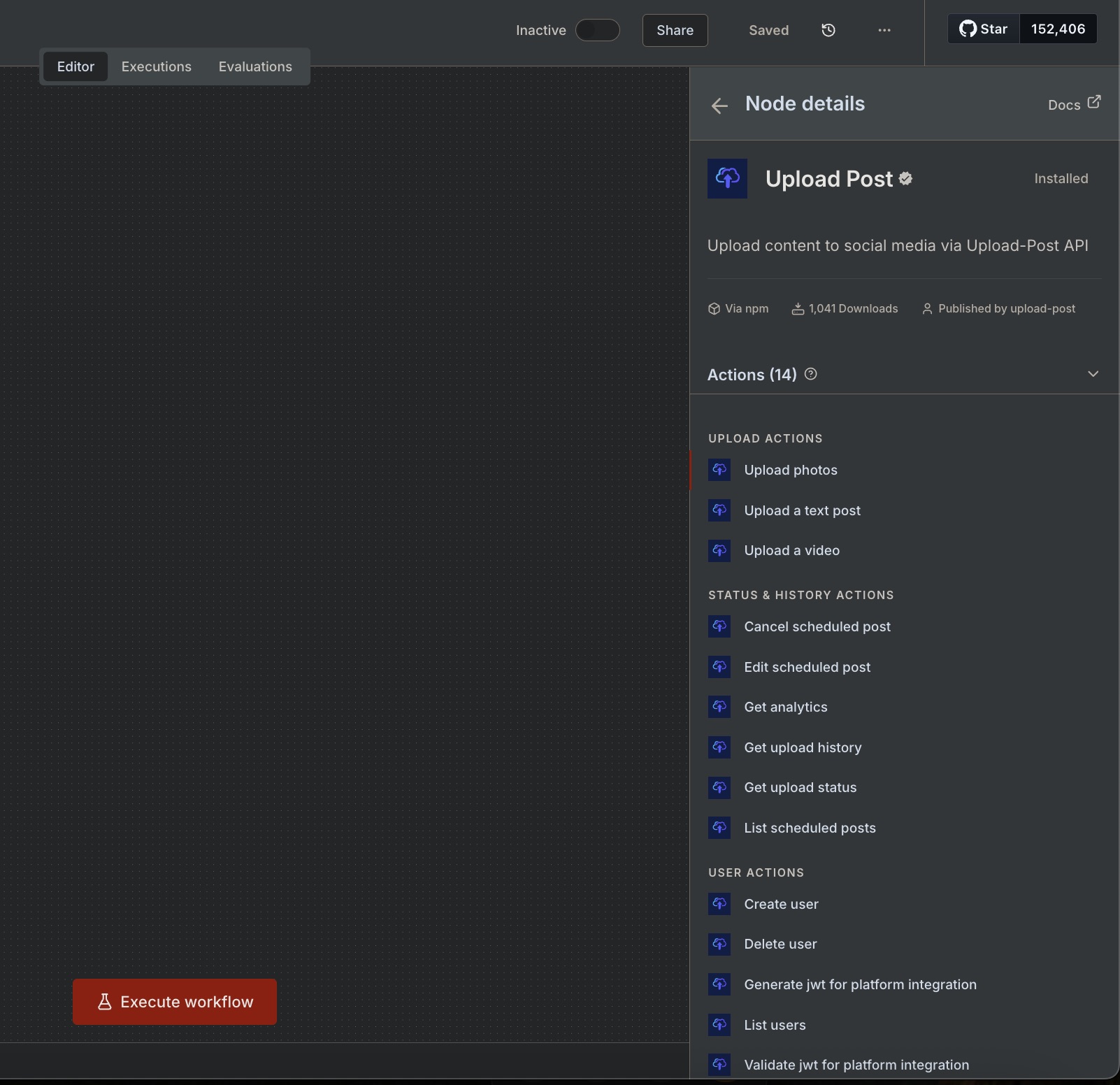
The easiest path. Pick Upload video, set your user, choose TikTok as platform, and attach the file. The node handles authentication, headers, and multipart/form-data for you.
Use a generic HTTP node configured as multipart/form-data.
Send binary data or pass a hosted URL for the video field.
POST https://api.upload-post.com/api/upload

Headers:
  Authorization: Apikey YOUR_API_KEY

Body (multipart/form-data):
  user: YOUR_USER_ID
  platform[]: tiktok
  title: My TikTok Video
  video: [binary] or [URL]
Pro tip: You can import cURL commands directly into n8n's HTTP Request node via Import from cURL.
Follow these 4 steps to publish your TikTok video
Start with a node that provides the video as binary data. Common options include HTTP Request (GET with File response), Google Drive, S3, or Webhook.
Configure an HTTP Request node with multipart/form-data. You can send binary data or pass a hosted URL for your video.
Poll the status endpoint with the returned postId until the state becomes 'ready'. Use a Wait node or IF conditional for the loop.
Once the upload completes processing, your video is automatically published to TikTok. No separate publish step needed!
Copy and paste these into your workflow
curl \
  -H 'Authorization: Apikey YOUR_API_KEY' \
  -F 'user=YOUR_USER_IDENTIFIER' \
  -F 'platform[]=tiktok' \
  -F 'title=My TikTok Video' \
  -F 'video=@/path/to/video.mp4;type=video/mp4' \
-X POST https://api.upload-post.com/api/uploadcurl \
-H 'Authorization: Apikey YOUR_API_KEY' \
-F 'user=YOUR_USER_IDENTIFIER' \
-F 'platform[]=tiktok' \
-F 'title=My TikTok Video (URL)' \
-F 'video=https://example.com/video.mp4' \
-X POST https://api.upload-post.com/api/uploadGET https://api.upload-post.com/api/uploadposts/status/{{ $json.postId }}
Authorization: Apikey YOUR_API_KEY
# Response includes status per platform:
# { "platforms": { "tiktok": { "status": "completed", "url": "..." } } }Join thousands of creators and agencies using Upload-Post + n8n
Start from these templates and customize for your needs
Automatically publish videos from Google Drive to TikTok, Instagram, and more.
View detailsUpload photo slideshows as carousels to multiple platforms at once.
View detailsCreate low-cost AI videos and upload directly to YouTube & TikTok.
View detailsTransform images into AI videos and upload to YouTube/TikTok.
View detailsCommon issues and how to fix them
Set Body to multipart/form-data, enable Send Binary Data, and provide a valid filename and Content-Type (e.g., video/mp4).
Check required fields: user, platform[]=tiktok, and video. Ensure your Upload-Post user has TikTok connected.
Increase request timeout and add a short polling loop to wait until the upload is processed before publishing.
Set up your n8n workflow in minutes and automate your TikTok content strategy
No credit card required - Free tier available
We're here to help you streamline your social media workflow
Have questions? We'd love to hear from you.
Send us a message and we'll respond as soon as possible.
