
Automated Video Publishing
Publish TikTok videos from n8n in minutes. Use the Upload-Post node for simplicity, or configure raw HTTP requests for full control. Content is auto-published upon upload completion.
Keine Kreditkarte erforderlich
Wählen Sie den Ansatz, der am besten zu Ihrem Workflow passt
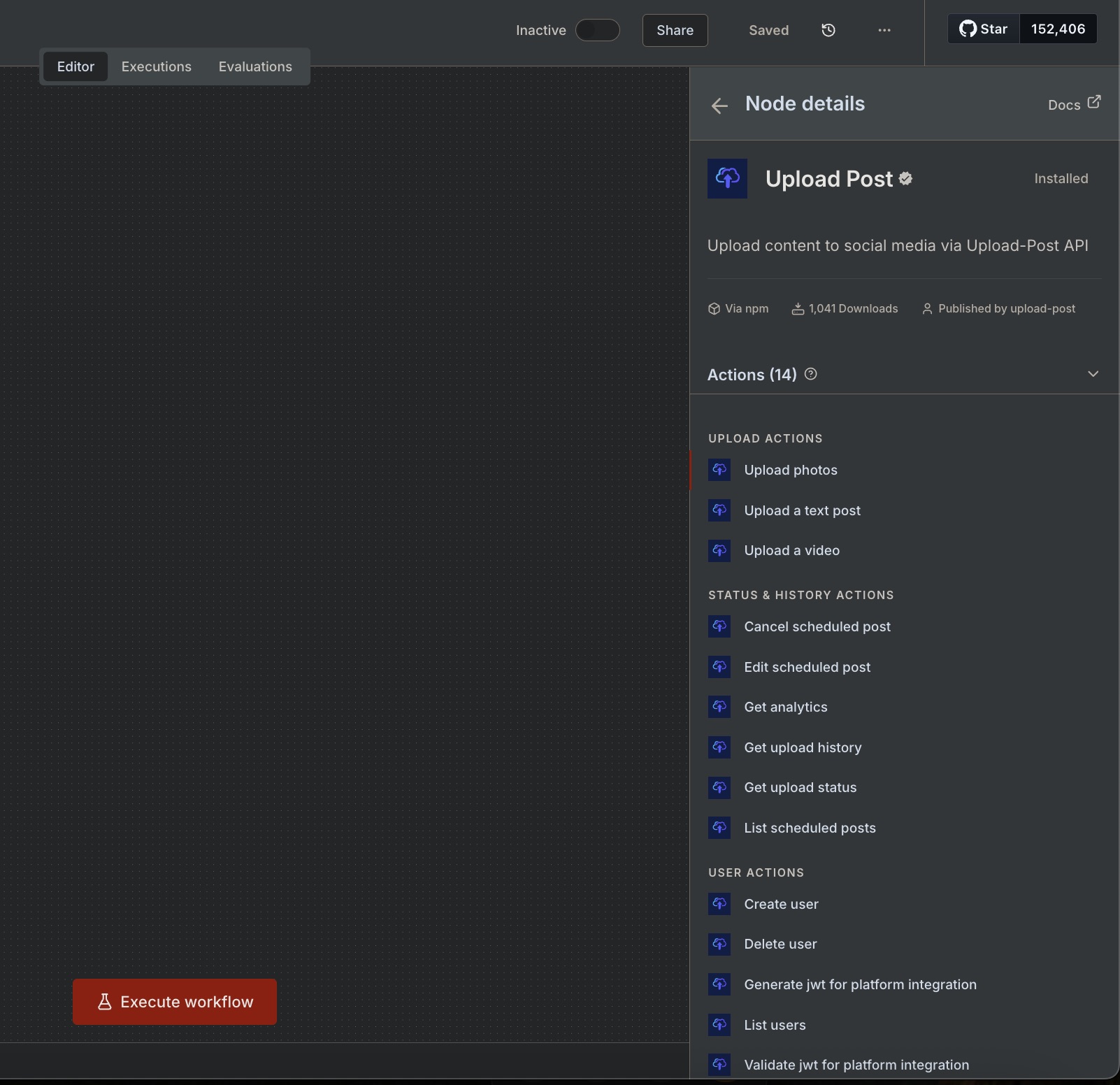
The easiest path. Pick Video hochladen, setzen Sie Ihren Benutzer, wählen Sie TikTok as platform, and attach the file. The node handles authentication, headers, and multipart/form-data for you.
Use a generic HTTP node configured as multipart/form-data.
Send binary data or pass a hosted URL for the video field.
POST https://api.upload-post.com/api/upload

Headers:
  Authorization: Apikey YOUR_API_KEY

Body (multipart/form-data):
  user: YOUR_USER_ID
  platform[]: tiktok
  title: My TikTok Video
  video: [binary] or [URL]
Pro-Tipp: You can import cURL commands directly into n8n\'s HTTP Request node via Von cURL importieren.
Follow these 4 steps to publish your TikTok video
Beginnen Sie mit einem Knoten, der das Video als Binärdaten bereitstellt. Häufige Optionen sind HTTP-Anfrage (GET mit Dateiantwort), Google Drive, S3 oder Webhook.
Konfiguriere einen HTTP-Anforderungs-Knoten mit multipart/form-data. Du kannst binäre Daten senden oder eine gehostete URL für dein Video übergeben.
Poll den Status-Endpunkt mit der zurückgegebenen postId, bis der Zustand 'ready' wird. Verwenden Sie einen Warte-Knoten oder eine IF-Bedingung für die Schleife.
Once the upload completes processing, your video is automatically published to TikTok. No separate publish step needed!
Kopieren Sie diese und fügen Sie sie in Ihren Workflow ein
curl \
  -H 'Authorization: Apikey YOUR_API_KEY' \
  -F 'user=YOUR_USER_IDENTIFIER' \
  -F 'platform[]=tiktok' \
  -F 'title=My TikTok Video' \
  -F 'video=@/path/to/video.mp4;type=video/mp4' \
-X POST https://api.upload-post.com/api/uploadcurl \
-H 'Authorization: Apikey YOUR_API_KEY' \
-F 'user=YOUR_USER_IDENTIFIER' \
-F 'platform[]=tiktok' \
-F 'title=My TikTok Video (URL)' \
-F 'video=https://example.com/video.mp4' \
-X POST https://api.upload-post.com/api/uploadGET https://api.upload-post.com/api/uploadposts/status/{{ $json.postId }}
Authorization: Apikey YOUR_API_KEY
# Response includes status per platform:
# { "platforms": { "tiktok": { "status": "completed", "url": "..." } } }Schließen Sie sich Tausenden von Kreativen und Agenturen an, die Upload-Post + n8n verwenden
Starten Sie mit diesen Vorlagen und passen Sie sie an Ihre Bedürfnisse an
Automatically publish videos from Google Drive to TikTok, Instagram, and more.
View detailsLade Fotoslideshows als Karussells gleichzeitig auf mehrere Plattformen hoch.
View detailsCreate low-cost AI videos and upload directly to YouTube & TikTok.
View detailsTransform images into AI videos and upload to YouTube/TikTok.
View detailsHäufige Probleme und wie man sie behebt
Setzen Sie den Body auf multipart/form-data, aktivieren Sie Send Binary Data und geben Sie einen gültigen Dateinamen und Content-Type (z.B. video/mp4) an.
Check required fields: user, platform[]=tiktok, and video. Ensure your Upload-Post user has TikTok connected.
Erhöhen Sie das Anfrage-Timeout und fügen Sie eine kurze Abfrage-Schleife hinzu, um zu warten, bis der Upload verarbeitet ist, bevor Sie veröffentlichen.
Richten Sie Ihr n8n workflow in minutes and automate your TikTok content strategy
Keine Kreditkarte erforderlich - Kostenloser Plan verfügbar
Wir sind hier, um Ihnen bei der Optimierung Ihres Social-Media-Workflows zu helfen
Haben Sie Fragen? Wir freuen uns von Ihnen zu hören.
Senden Sie uns eine Nachricht und wir antworten so schnell wie möglich.
