
 TikTok
  Instagram
  YouTube
  LinkedIn
  Facebook
  X
X  Threads
  Pinterest
  Reddit
  Bluesky
  Discord
  Telegram
  Slack
Slack  Mastodon
  Nostr
Nostr  Lemmy
Lemmy  Dev.to
  Hashnode
  WordPress
  Whop
Whop  Listmonk
  ChatGPT
 Claude
 Gemini
How to post to Instagram with Claude Connect once, then ask in plain English
Claude cannot reach Instagram on its own: it needs a connector that holds your Instagram connection. Install the Upload-Post plugin from Claude’s plugin directory or add its connector URL, sign in, connect an Instagram Business or Creator account and ask Claude to post. Reels, carousels and Stories all work.
Where    Claude > Customize > Connectors
Plugin   Upload-Post (Claude plugin directory)
   or
URL      https://mcp.upload-post.com/mcp
Auth     OAuth sign-in, no API key
Every way to connect Instagram to Claude, compared
Most guides cover one route. These are all of them, and what each can actually do.
| Route | Publishes | Schedules | Comments and DMs | Reads analytics | Cost |
|---|---|---|---|---|---|
| Upload-Post (plugin or connector) | Reels, photos, carousels, Stories | Yes | Comments, DMs, comment-to-DM | Yes | Free plan, 10 uploads a month |
| Metricool connector | Scheduled posts | Yes | Not available through its MCP | Yes | Works on its Free plan (20 scheduled posts a month) |
| Windsor.ai connector | A single image feed post | Not stated | Not stated | Yes, Insights fields | Free plan available |
| Zapier (Instagram for Business + Claude) | Photos and carousels, from a Zap | Through the Zap trigger | Not stated | Not stated | Your Zapier plan |
| Your own Meta app + Claude Code | Whatever you build | You build it | You build it | You build it | Free, plus development time |
| CSV export from Insights | No | No | No | A static snapshot | Free |
Upload-Post is our product. The other rows were read on each vendor’s own page on 23 October 2026; the vendor name links to it.
Connect Claude to Instagram in four steps
About five minutes, on claude.ai, the desktop app or Cowork.
- 1
Create a free Upload-Post account and connect Instagram
Sign up at app.upload-post.com (no card) and connect your Instagram account with Instagram Login. It has to be a Business or Creator account; it does not need a Facebook Page.
- 2
Add Upload-Post to Claude
Quickest: install the Upload-Post plugin from Claude’s plugin directory, then open Customize → Connectors and click Upload-Post → Connect. Or add it by hand: Customize → Connectors → + Add → Add custom connector, paste the URL and click Continue.
- 3
Sign in once
Claude opens the Upload-Post sign-in page. Approve it and Claude can see your profiles and connected accounts. Nothing to copy or paste.
- 4
Turn the connector on and ask
In a chat, click + in the lower left, choose Connectors and switch on Upload-Post. Then attach a video or photos and ask Claude to post them to Instagram.
| Claude plan | How custom connectors work |
|---|---|
| Free | One custom connector |
| Pro and Max | Customize → Connectors → + Add → Add custom connector |
| Team and Enterprise | An owner adds it under Organization settings → Connectors; members click Connect |
Source: Claude help center, read 23 October 2026.
What you can ask Claude to do on Instagram
Attach the media and say what you want, in your own words. Each line below maps to a tool the connector exposes.
“Post this video to my Instagram as a Reel with the caption “Spring drop is live”.”
“Turn these five photos into a carousel and schedule it for Friday at 6 pm New York time.”
“Share this clip as an Instagram Story.”
“Post the Reel and add @ourpartner as a collaborator.”
“Publish this Reel and add a first comment with our five hashtags.”
“Here are seven clips: schedule one Reel a day at 9 am starting Monday.”
“Reply to the new comments on my last Instagram post.”
“When someone comments GUIDE on this Reel, DM them the download link.”
“Which of my Instagram posts did best this month, and what should I post next?”
Instagram metrics Claude can read
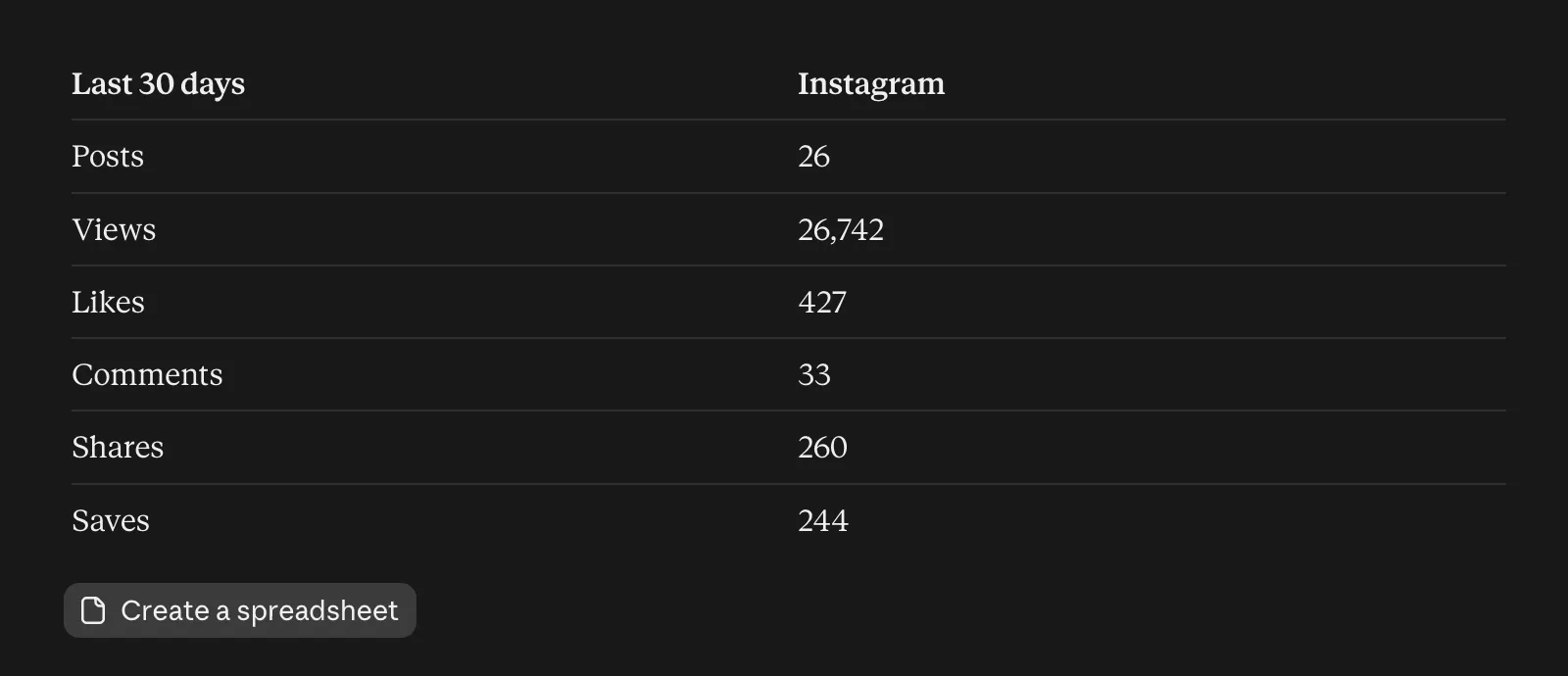
The same connector reads your Instagram numbers, so one conversation can go from “what worked last month?” to “schedule more of that”. Ask for any date range; Claude summarizes it and can compare Instagram with your other networks.
The fields come from the Upload-Post analytics API, which covers 11 networks with the same call.
| Metric | What it measures |
|---|---|
followers | Followers of the account |
reach | Unique accounts reached |
views | Views (Instagram’s replacement for impressions) |
profileViews | Accounts engaged with the profile |
likes, comments, shares, saves | Engagement on posts and Reels |
Claude.ai, Claude Code or your own code
Same Instagram connection, three ways to drive it.
Claude.ai, desktop app, Cowork
Plugin from Claude’s plugin directory, or a custom connector with the URL. Best for posting from a conversation, no code.
Claude Code
The command below or the Upload-Post plugin. Best for posting from the terminal, scripts, hooks and agents. There is also an Instagram skill.
Your own code
The REST API with an API key, for products and pipelines that post without a chat. See the Instagram API guide.
claude mcp add --transport http upload-post \
  https://mcp.upload-post.com/mcp
Several Instagram accounts: agencies and teams
Upload-Post groups accounts in profiles, one account per network in each. An agency creates one profile per client, and Claude publishes to the profile you name: “post this to the Bakery profile’s Instagram”.
Clients connect their own Instagram through a white-label link with your branding, so nobody shares a password. The same profiles work from Claude, ChatGPT, the dashboard and the API.
What Claude can and cannot access
Worth knowing before you connect a brand account.
No passwords anywhere
Instagram is connected with Instagram’s own login, and Claude signs in to Upload-Post with OAuth 2.1 and PKCE. Claude never sees an Instagram password or token.
Only documented tools
Claude can only call the tools the connector exposes: publish, schedule, read analytics, comments and DMs. It cannot browse your account or change its settings.
Tokens stored encrypted
The Instagram connection lives in Upload-Post, encrypted at rest, and is refreshed before it expires.
Revoke in one click
Remove Claude’s access from AI Assistants (MCP) in the Upload-Post dashboard, or disconnect Instagram there, at any time.
When Claude will not post to Instagram
The problems people hit first, and the fix for each.
Claude says it cannot post to Instagram
The connector is installed but off in this chat. Click + in the lower left, open Connectors and switch Upload-Post on. If it asks you to sign in, approve the Upload-Post page that opens.
Instagram does not appear when you connect it
The Instagram API only works with professional accounts. Switch to a Business or Creator account in Instagram’s settings (it is free and reversible), then connect again in Upload-Post.
The Instagram connection expired
Instagram sometimes asks you to log in again, for example after a password change. Ask Claude for a connect link: it returns one and you reconnect in a click.
Claude posted to the wrong account
Name the profile in your request, for example “under profile marketing”. Upload-Post groups accounts in profiles, and the connector tells Claude to check the profile list before it publishes.
You cannot add a second connector
Claude’s Free plan allows one custom connector. Install Upload-Post as a plugin instead, or remove a custom connector you no longer use.
A Reel failed
Ask Claude to check the upload status: it returns the reason Instagram gave. Most failures are a format Instagram rejects; Reels can run from 3 seconds to 15 minutes and up to 300 MB.
Format limits for Reels and Stories: video requirements.
Claude and Instagram: frequently asked questions
Can Claude post to Instagram?
Yes, through a connector. Claude cannot reach Instagram on its own, so you add a connector that holds your Instagram connection. With Upload-Post you install its plugin from Claude’s plugin directory or add https://mcp.upload-post.com/mcp as a custom connector, sign in, and ask Claude to post Reels, carousels or Stories.
Is there an Instagram connector for Claude?
Instagram connectors for Claude come from third-party services that hold the Instagram connection. Upload-Post publishes Reels, photos, carousels and Stories and is available as a plugin or a custom connector. Metricool’s connector schedules posts with a Metricool account, and Windsor.ai’s focuses on reading Instagram Insights.
What is the best way to connect Instagram to Claude?
To publish, use a connector that posts every format: Upload-Post covers Reels, photos, carousels and Stories, plus scheduling, comments and DMs, with a free plan. If you only want to analyze Insights, an analytics connector such as Windsor.ai is enough. A CSV export works for a one-off review.
Does Claude get my Instagram password?
No. You connect Instagram to Upload-Post with Instagram’s own login, and Claude signs in to Upload-Post with OAuth. Claude only calls the publishing tools; it never sees your password.
Do I need a Facebook Page to post to Instagram from Claude?
No. With Instagram Login a Business or Creator account is enough. A personal Instagram account has to be switched to Business or Creator first, which is free in Instagram’s settings.
Is it free?
You can start free. Upload-Post’s Free plan includes 10 uploads a month with no card, and Instagram works on it. On Claude’s Free plan you can add one custom connector.
Can Claude schedule Instagram posts?
Yes. Say when, with a timezone, for example “schedule this for Friday at 6 pm New York time”. Claude creates a scheduled post, and you can ask it later to list, change or cancel scheduled posts.
Can Claude manage several Instagram accounts?
Yes. Each Upload-Post profile holds one account per network, so an agency creates one profile per client and tells Claude which profile to use. Clients can connect their own accounts through a white-label link without sharing passwords.
Does it work in Claude Code?
Yes. Run claude mcp add --transport http upload-post https://mcp.upload-post.com/mcp, or install the Upload-Post plugin, which adds skills for scheduling campaigns, repurposing video and comment-to-DM funnels.
Post your first Reel from Claude today
Free plan, no card. The same connector also covers TikTok, YouTube, LinkedIn and 18 more networks.